Making a baseball card of your own kid, or of every kid on a team, comes down to six decisions: what you are making, which photo to use, what goes on the front and back, how to lay it out, how to print it, and what to do with the cards when they arrive. This guide walks through each one. It covers the fully DIY route with a home printer, the local print shop route, and the online card service route.

Step 1: Decide what you are making
The right process depends on how many different cards you need, and how many copies.
- One card of one kid. A birthday gift, a card for grandparents, or a keepsake. You want one or a small number of copies, and you care more about the finish than the price per card. An Etsy seller or a single print-on-demand card is usually the best way in this case.
- A set for a team. Twelve to fifteen different cards, with enough copies of each that every kid can trade and end up with the whole team. Most teams order 18 to 25 copies per player. Consistency matters here: the cards need to match, and the names need to be spelled right.
- Every team in a league. A hundred or more different cards. At this point the design work is the easy part. The hard part is collecting photos and information from a hundred families without a spreadsheet meltdown. Our 190-player league case study covers that in detail. We provide a form you can send to parents to fill out and automatically collect the card data and photos.
Decide this first, because it changes which tools are worth your time. A card maker built for one card at a time is fine for a gift and painful for a roster.
Step 2: Take the photo
It's worth taking your time, and taking a few different photos, to get the best result you can with the photos. Photos with your phone can work great, just remember to consider lighting and framing the player in the shot.
- Shoot outdoors in daylight. Open shade or an overcast sky gives even light with no squinting. Avoid harsh midday sun and avoid indoor photos under gym or kitchen lights, which come out yellow and dark.
- Fill the frame. The player should take up most of the photo, from the knees or waist up. A kid standing twenty feet away in a full-field shot will be poor quality once the photo is cropped and scaled up to card size.
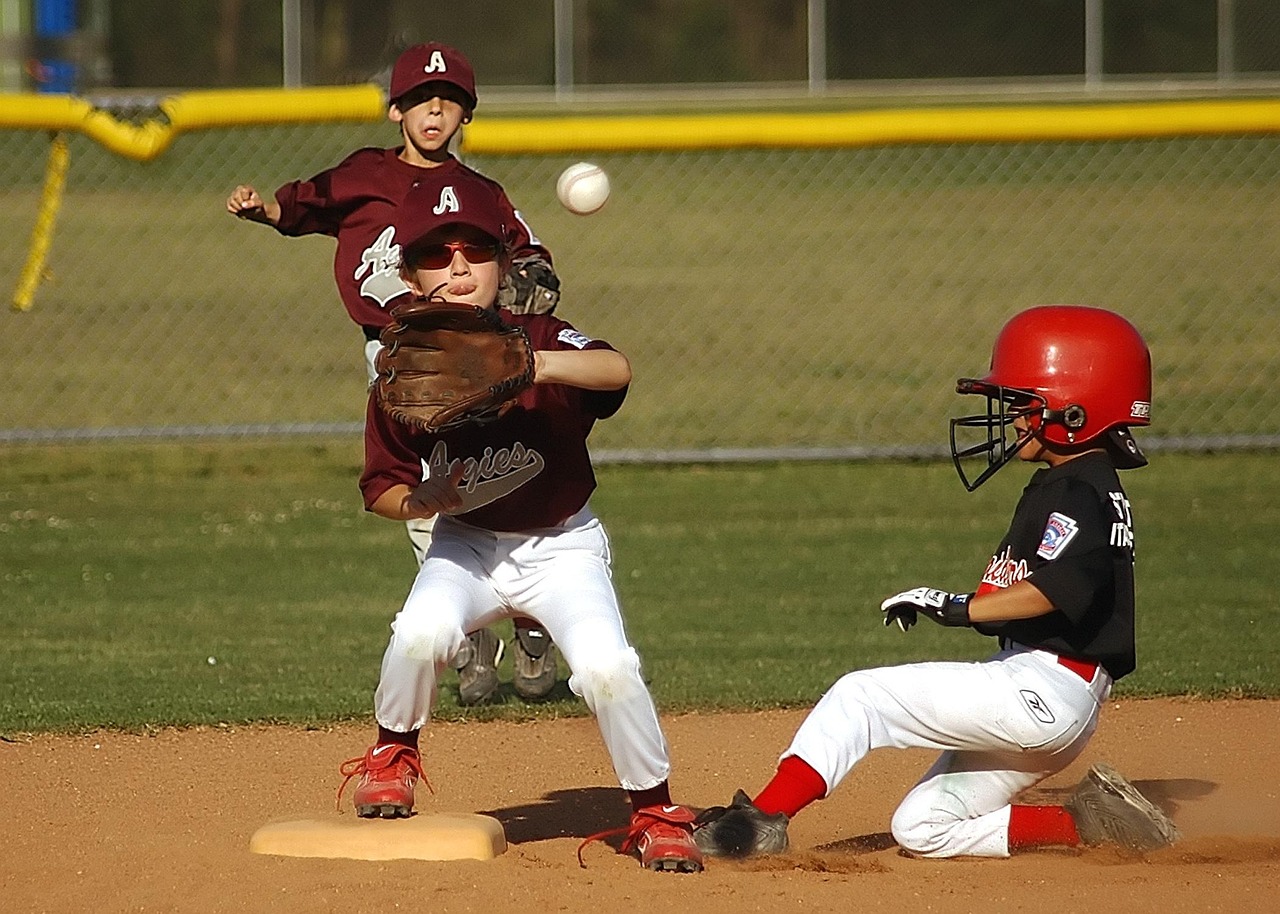
- Posed often beats action. The classic look is a posed shot in uniform, holding a bat or glove, against a fence or dugout. Action shots are great when they are sharp and the face is visible, but that's often not the case, especially when the player has a helmet with a face guard on.
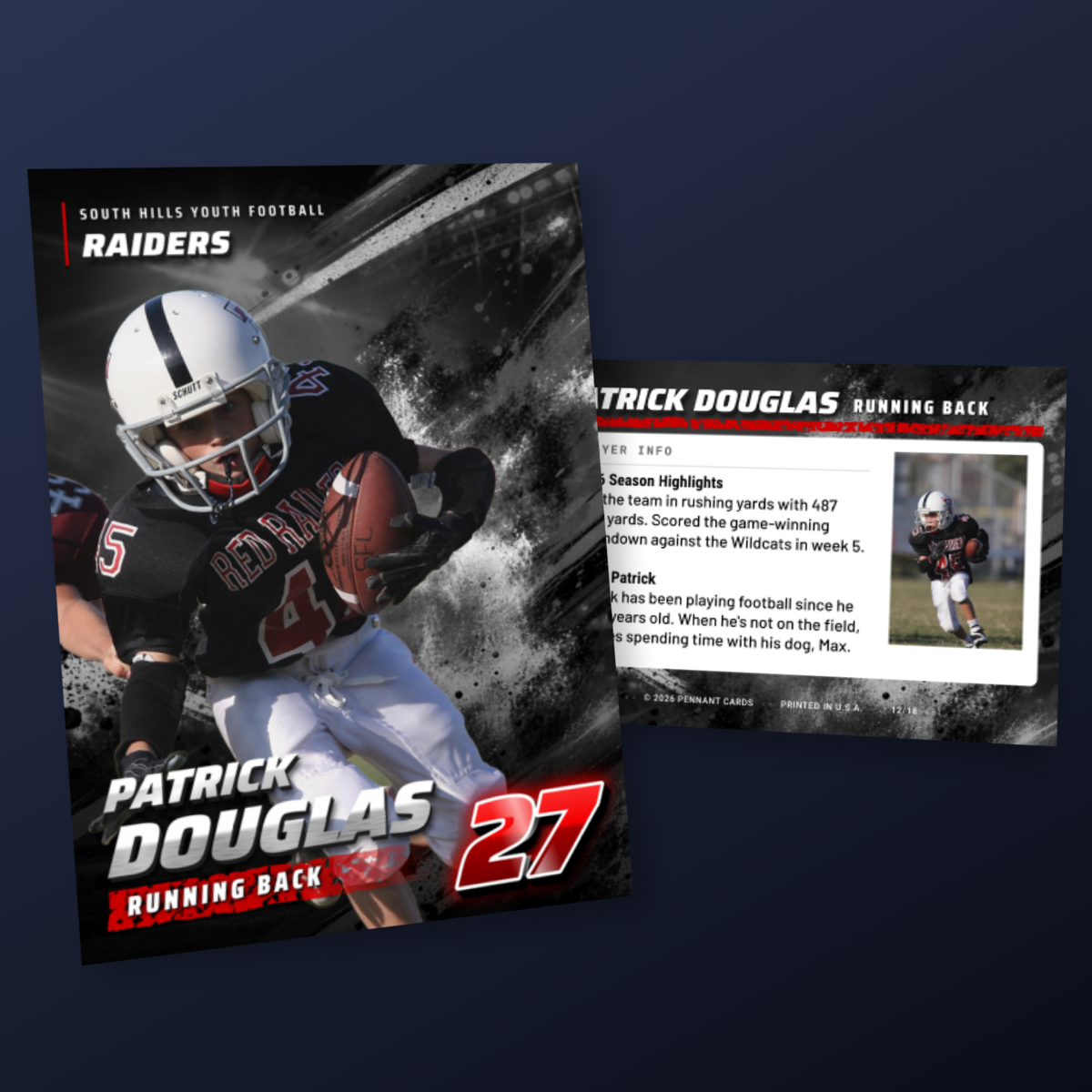
- Get one action show and one portrait per player. Some classic and modern trading card designs incorporate two photos: an action shot and a portrait. The portrait should go on the back of the card, unless the front card design incorporates both (we have a couple that do). If you only have one photo of a player and it's a portrait, that's fine - it can still work great on the front of the card.
- Resolution. A 2.5 by 3.5 inch card printed at 300 dots per inch needs at least 750 by 1050 pixels of photo in the cropped area. Any modern phone clears that easily, as long as you use the original file. Photos pasted into an email body or sent through some messaging apps get scaled down to a few hundred pixels and will print soft. Share originals through a cloud album or AirDrop.
- Don't worry about the background. Background removal is built into many card tools now, including ours. A busy parking lot behind the player can become a solid team color in one click.
For a team, pick one photo day and one makeup day, and you can either ask the photographer to also take a photo of each kid holding a piece of paper with their name on it, or ask them to name the photos "FirstName LastName action.jpg" or "FirstName LastName portrait.jpg". You can upload all of these photos at once in our app to automatically create cards.
Step 3: Decide what goes on the front and back
The front
Photo, first and last name, jersey number, position, team name, and the season year. That is the whole list for most cards. A team logo in a corner is a nice touch if you have a clean file of it with a transparent background.
The back
The back is what makes a card worth flipping over, and it is where most homemade cards run out of steam and end up blank. Plan it before you start laying anything out. The common options:
- A stats table. For teams that keep score: games, at bats, hits, average, home runs, RBI, and for pitchers innings and strikeouts. If your league uses GameChanger or a similar app, the season totals are a few taps away. Keep it to four or five columns so the type stays big enough to read.
- Fun facts. For t-ball, coach pitch, and most rec teams, nobody has stats and nobody wants them. Nickname, favorite MLB player, walk-up song, favorite position, and "baseball superpower" are the ones kids like best. We looked at thousands of cards to find the most popular answers.
- A short write-up. Two or three sentences about the season, written by the coach or the parent.
- The team roster. Every name and number on the back of every card. Good for a league where kids trade across teams. This is also great if you don't have a lot of time - our roster layouts are created automatically, and can include coaches and team staff as well.
Collect this before you design. For a team, send families a form rather than asking over text. For a single card, just ask your kid. The answers are better than anything you would make up. Baseball cards with stats shows what each of these looks like on a finished card.
Step 4: Lay out the card
Card size, bleed, and safe area
A standard trading card is 2.5 by 3.5 inches. If you are going to have the cards printed and cut, the artwork needs to be slightly larger than that so the cut never leaves a white sliver on the edge. These are the numbers every print shop will ask for:
Baseball card template specs
- Trim size: 2.5 by 3.5 inches (63.5 by 88.9 mm)
- Bleed: 0.125 inches on every side, so the artwork is 2.75 by 3.75 inches
- Safe area: keep text and logos at least 0.125 inches inside the trim line
- Resolution: 300 dots per inch, which is 825 by 1125 pixels including bleed
- Color: CMYK for a commercial printer; RGB is fine for a home printer
- Corners: square. Rounded corners are a separate die-cut and cost more.
Option A: Design it yourself in Canva, Photoshop, or Slides
Set up a document at 2.75 by 3.75 inches (or 825 by 1125 pixels) and draw guides at 0.125 inches in from each edge for the trim and again at 0.25 inches for the safe area. Put the photo on the bottom layer, a border or color block over it, and the text on top. Use a bold condensed typeface for the name and number. Canva has free trading card templates that are close enough to start from, though most are not set up with bleed, so check the size.
This works well for one card. For a team it means repeating the layout fourteen times, retyping every name, and resizing every photo by hand. Budget an afternoon, and have someone else proofread the names.
Option B: Use an online baseball card maker
A card maker gives you finished designs with the bleed, safe area, and typography already handled, and it generates each card from the data you enter. Ours, the Pennant Cards baseball card maker, is built around a roster rather than a single card: you set the design and team colors once, add players, and every card comes out matching. Parents can upload their own kid's photo and answer the back-of-card questions through a link, and the roster layout on the back fills itself in. Designing is free; you pay when you print or download.
Other card makers are built for a single card at a time. Those are fine for a gift and slow for a team, so match the tool to Step 1.
Option C: Hire someone
Etsy is full of designers who will make a single custom card from your photo for roughly $10 to $50, printed and shipped. Quality varies, so read reviews and look for photos of the actual printed card rather than a mockup. This is the best route for one special card where you want no part of the design work.
Step 5: Print the cards
At home
A home inkjet or laser printer can make a card, but it will not feel like a card. The heaviest stock most home printers accept is around 110 lb index, which is roughly 10pt and noticeably floppy next to a real card. Print on the best photo or matte cardstock your printer will feed, let inkjet prints dry fully, and cut with a rotary paper trimmer or x-acto knife rather than scissors. Expect a matte finish, slight color shifts, and edges that are a little off square. For a one-off, or for kids who want to make their own, it is a fun afternoon. You can also purchase holographic film to laminate the cards and make them a little more stiff, however lamination will cause it lose its trading card feel.
At a local print shop
Bring a PDF with bleed and crop marks, one card per page or imposed on a sheet, and ask for 14pt or 16pt C2S cardstock with a gloss finish, cut to 2.5 by 3.5 inches. Most shops can do this in a few days. Prices vary a lot, typically $1 to $3 per card plus a setup fee, and the cutting is only as good as the shop. Ask to see a sample of their cardstock before committing.
Through a card service
A card printing service prints on true trading card stock and cuts on commercial equipment, so the finished card matches what comes out of a retail pack. At Pennant Cards, our professionally printed cards are 16pt C2S with a UV gloss front, precision cut, printed in 4-5 business days and shipped via FedEx. The full specs are on the baseball card printing page. If you designed in the app but want to print elsewhere, a digital download gives you the same print-ready PDFs with bleed and crop marks for a local shop.
Our printing options guide compares all of these, plus photographer packages, with prices.
Step 6: Hand them out
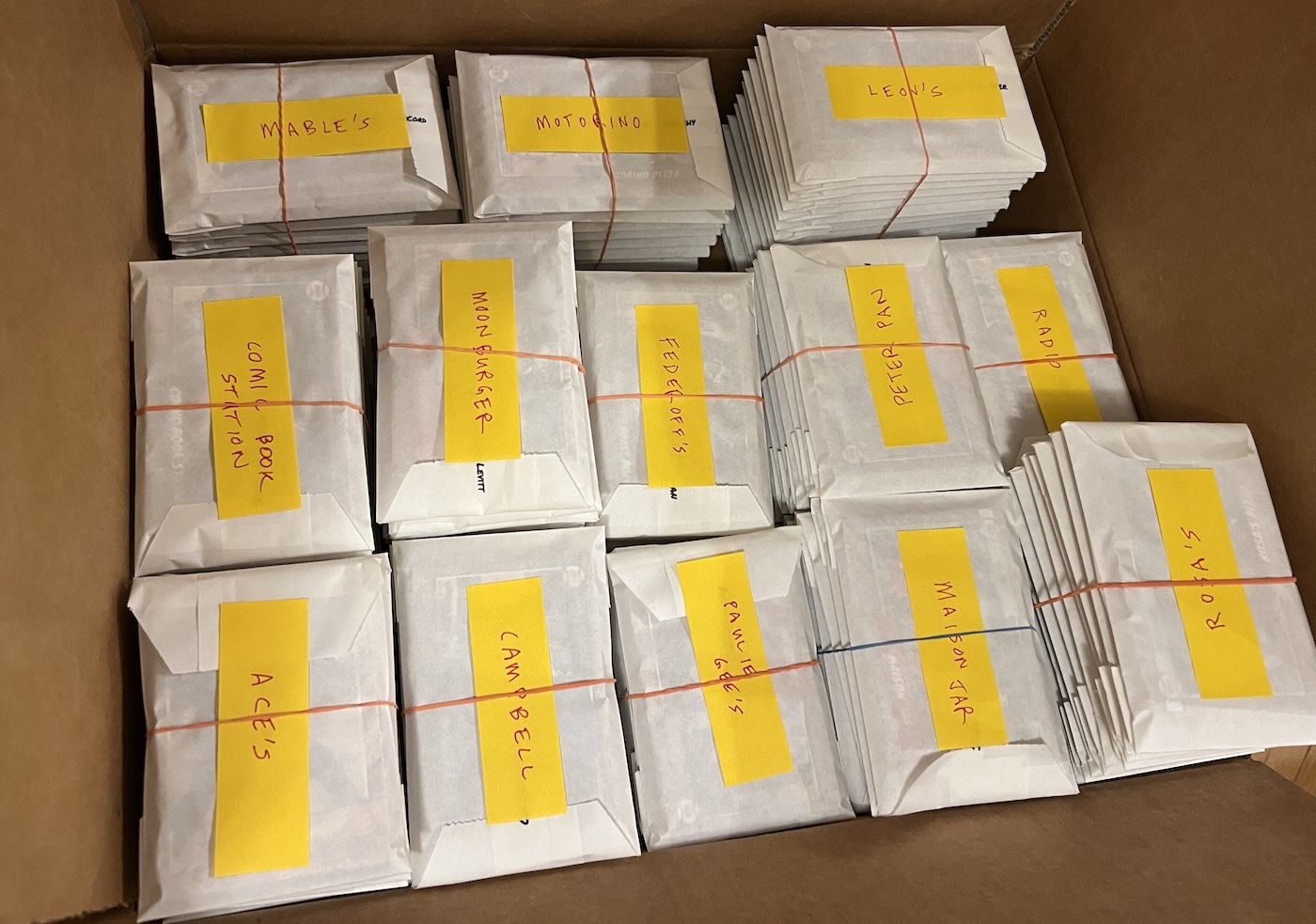
Cards for a team usually arrive as one box, in one stack or many stacks depending on the size of the order. For a single player, a penny sleeve and a top loader turn a card into a keepsake for a few cents. For a team, sort each player's copies into a small waxed paper or glassine bag with a name label, and hand them out at the last game or the end-of-season party. Kids trade on the spot. Our packaging guide covers bags, cases, and sealed packs.
Top mistakes to avoid when making baseball cards
- Low-resolution photos. Use the original file from the phone, not a screenshot or an emailed copy.
- Text too close to the edge. Anything inside the last eighth of an inch risks being cut off. Keep names and numbers inside the safe area. We have many different designs that account for this already so you don't have to.
- No bleed, or border too close to the trim line. A design that stops exactly at 2.5 by 3.5 inches will show a white hairline on one or two edges after cutting. Borders should not sit close to where the cards are trimmed, because there will always be a bit of shift in where the cards are cut, and borders right at the trim line likely won't be cut that precise.
- Misspelled names. The error parents and players notice first. For a team, have each family confirm their own kid's name and number rather than typing from a roster. Our player forms let parents confirm that their player's name is spelled and accented correctly.
- Blank backs. Decide on the back in Step 3. A card with nothing on the back feels unfinished.
- Ordering too late. Printing plus shipping is about two weeks. Count back from the last game and set a photo deadline a week before you need to order.
- Using AI to generate a set of cards. It may seem easier to ask an AI to generate your cards for your team, but you'll end up with a design that is different for every player, and things will just look off. It will often create a fake border that is very close to the trim line, which will not look good once printed and trimmed. Using AI-generated images of your player also will often make them look less like themselves. At Pennant Cards, we think you should let your players look like themselves, not like an AI-generated version.
What it costs
- Home printing: pennies per card in ink and paper, plus a paper trimmer, with the thinnest result.
- Etsy seller: $10 to $50 for one finished card.
- Local print shop: roughly $1 to $3 per card plus setup, and your own design work.
- Pennant Cards: from $1.25 per card, dropping with quantity, which works out to under $5 per player for a team order. Design is free.
If you are making one card, pick the photo carefully and let an Etsy seller or a home printer do the rest. If you are making cards for a team, the design and printing are the easy part once you have a tool that handles the roster. Start a free project in our card maker, upload one photo, and see your first card in a minute or two.