A few updates since earlier this month: a new card design, a way to let your players build their own cards, your own images as photo backgrounds, and support for iPhone HEIC photos.
New "Jumbotron" Design
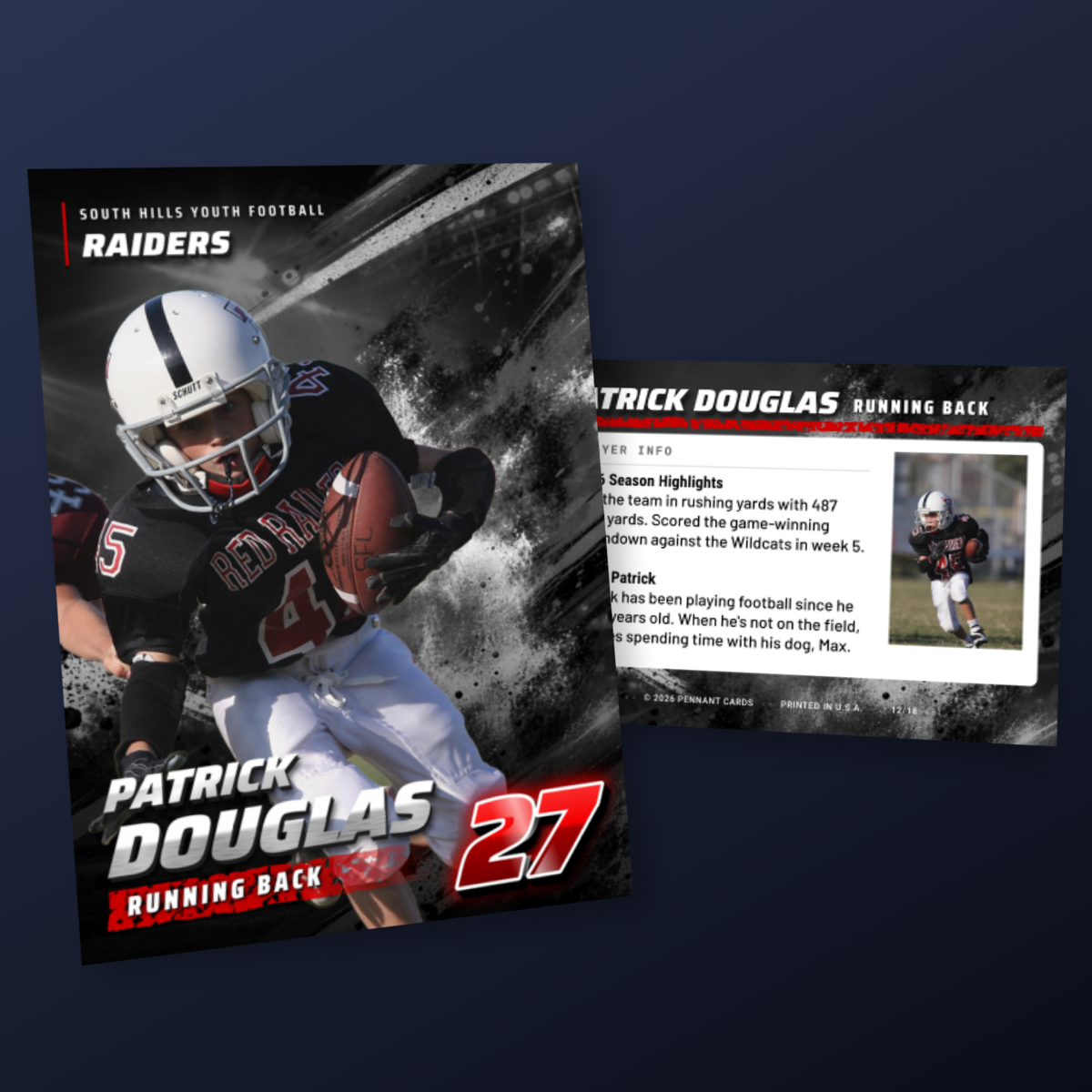
Jumbotron is a modern broadcast-graphics look: a full-bleed photo, an oversized jersey number, and brushed aluminum text over a splash of your team color. It's built for action shots and works well for football, basketball, and baseball alike. Like all of our designs, it's available for player, team, and coach cards, supports a second photo on the back, and uses your team colors throughout.
Open Sign-Up: Let Your Players Create Their Own Cards
Until now, the organizer had to add every player to a project before anyone could fill in their stats and photos. That works for a single team, but for a large league, a school, or a company, the organizer often doesn't have the full roster, let alone everyone's photos.
Projects can now be set to open sign-up. Turn it on from the project overview page, send out the project's form link, and anyone with the link can add themselves (or their player): pick a team, enter a name, upload photos, and fill in stats and any custom fields you've set up, all in one form. The card shows up in your project immediately, ready for review in the Card Designer. Players who are already in the project can still look themselves up and complete their existing card.
Once your roster is complete, turn open sign-up off and the link goes back to being the regular player form.
Alongside this, there's a new organization option when you create a project, for groups that aren't sports teams: companies, schools, clubs, and the like. The public forms drop the sports wording ("player", "team", "season") and ask members for their own details instead.
Custom Background Graphics
Background removal has been one of our most used photo tools since it launched last year. Until now you could replace the removed background with a color, a gradient, or one of our built-in graphics and stadium photos. You can now upload your own background images too.
Upload a background once and use it as the default for every photo in the project, or pick a different one for an individual photo. Your uploads appear in a "Your Backgrounds" section of the picker next to the built-in library, and each project can hold up to 20 of them. A photo of your own field, your league logo on a plain backdrop, or a graphic from your designer all work. Color filters apply to custom backgrounds the same way they do to ours, so one image can be tinted to match each team.
The background picker itself is also new. It opens as a modal with the card front on one side and a grid of larger thumbnails on the other, and clicking a thumbnail updates the card right away so it's easy to compare options. We've also added a handful of new built-in backgrounds, including an empty stadium under the lights, two vintage ballpark illustrations, and a couple of abstract smoke swirls.
iPhone HEIC Photos
iPhones save photos in HEIC format by default, and until now those files had to be converted before uploading. HEIC photos are now accepted everywhere you can upload a photo: the Card Designer, bulk photo import, the per-player form, and the new open sign-up form. We convert them to JPEG on upload, so parents can send a photo straight from their camera roll without changing any settings.