It's been a busy spring and summer. Since our last update, we've added three new card designs, a rush printing option, faster ways to get your roster and photos into a project, and a handful of improvements to the Card Designer. We've also started taking on fully custom trading card projects.
Three New Card Designs
Airbrush
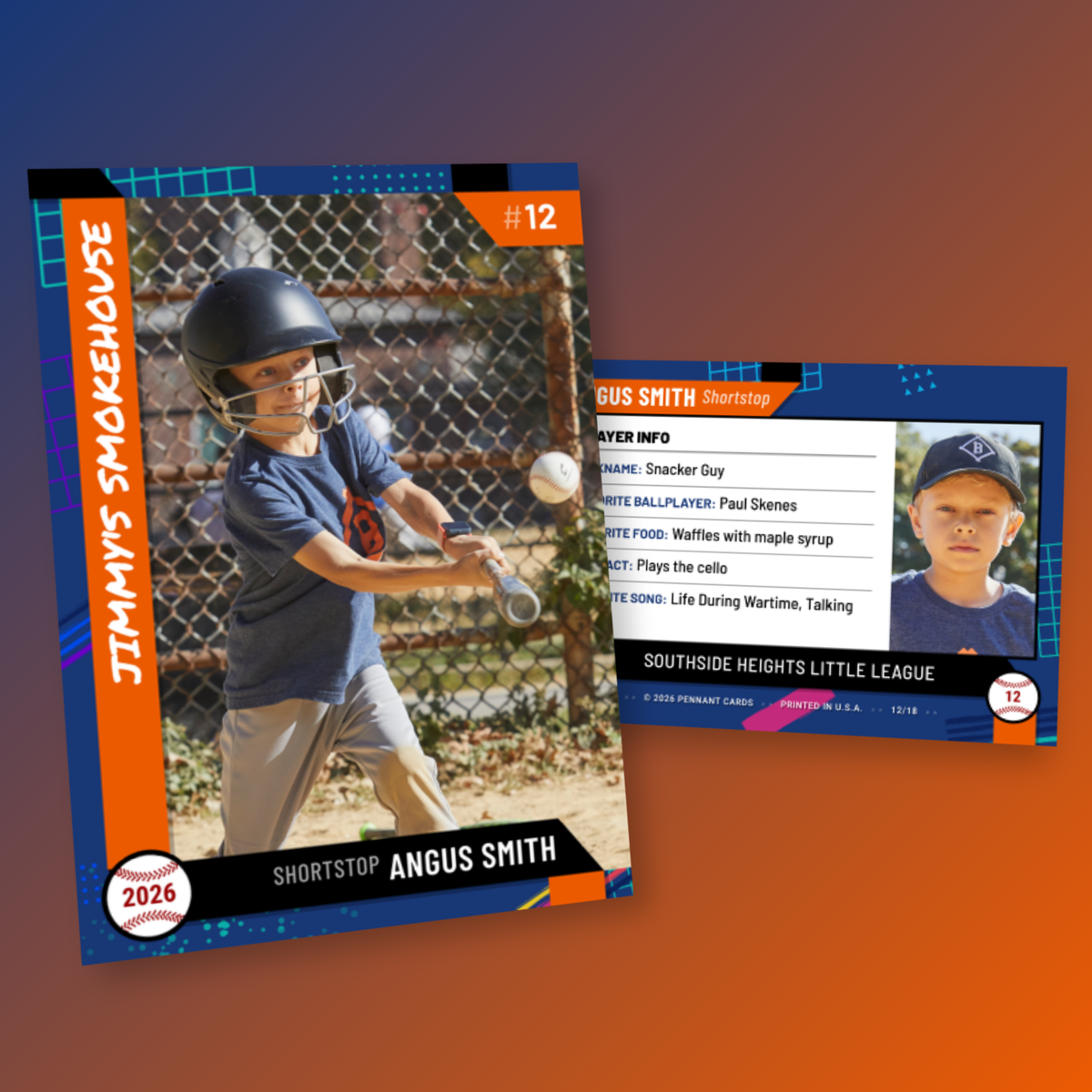
Airbrush is a neon design straight out of a 1980s school backpack. The background graphics are randomly generated vector shapes, so every player's card is unique, while your team colors keep the set looking consistent.
Minimal
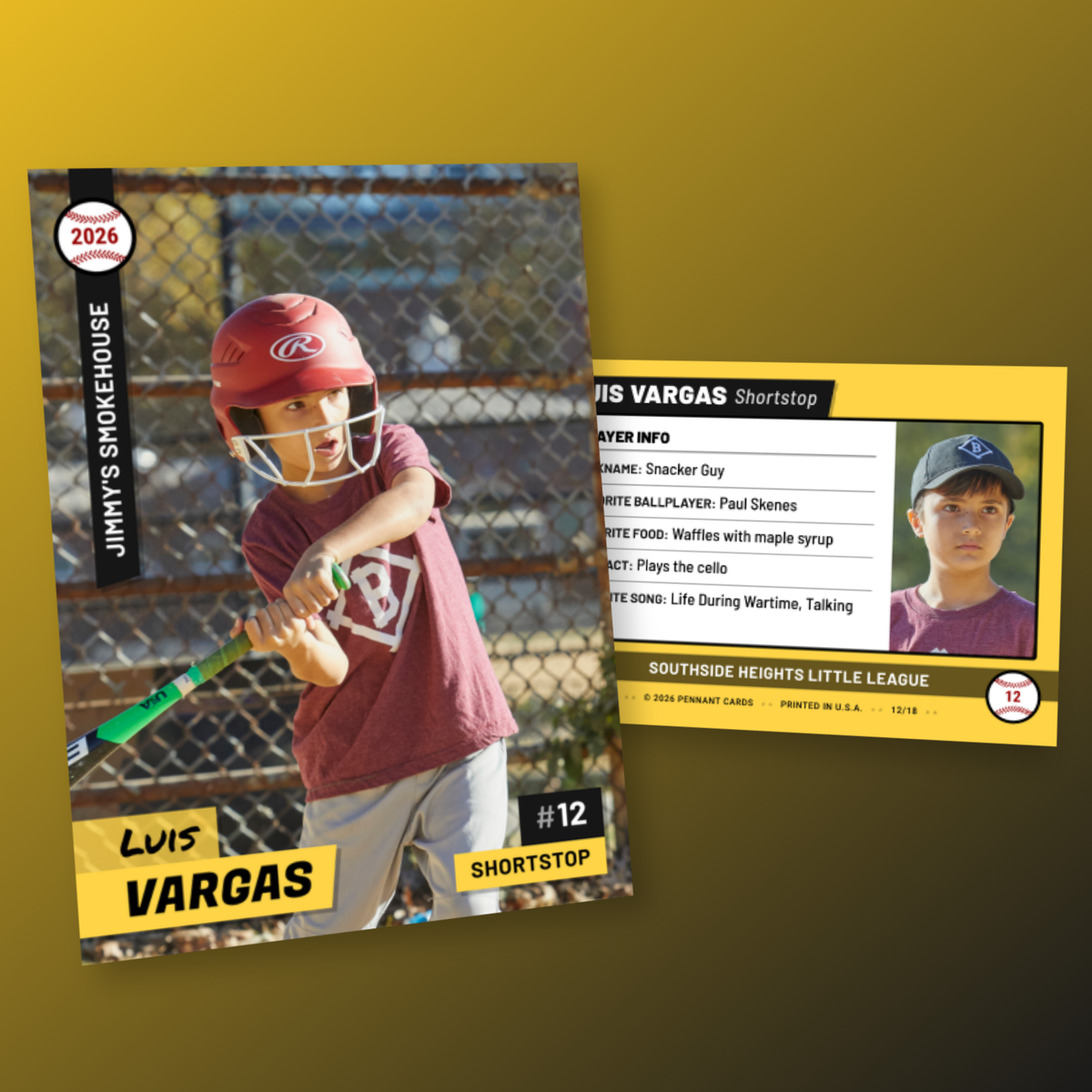
Minimal is a clean, modern layout with a full-bleed photo and simple color blocks behind the player name, team name, and position. It works well when you have strong photos and want them to do the talking.
Blank
If you'd rather handle the design yourself, the Blank design lets you upload fully designed front and back graphics for each card. We don't add any overlays or branding. Both horizontal and vertical layouts are supported, and you can toggle on trim and safe-zone guides in the Card Designer to make sure nothing important gets cut off.
Rush Printing
Printed orders now have a rush option. Standard printing takes 4-5 business days; rush printing takes 2 business days. Rush is priced as a percentage of your card subtotal, and you'll see the exact amount in the order form before you check out. Combined with FedEx Express shipping, you can have cards in hand within a few days of placing your order.
Faster Project Setup
Getting players and photos into a project used to be the slowest part of the process for larger leagues. A few changes make it much quicker:
- Bulk Import Photos. Select a folder of player photos and we'll match each one to the right card by filename. Matching handles "First Last", "first_last", and "Last, First" formats, and tolerates middle names and small typos. Photos that don't match an existing card can create new cards, and duplicates are skipped.
- Import Project. From the Projects page, you can create a whole project from a folder of photos, a roster CSV, or a project export.
- Better CSV import. When you import a roster spreadsheet, you can now map your columns to card fields, use a single "full name" column instead of separate first and last names, and see duplicate rows before anything is imported.
Photo Improvements
The Card Designer now analyzes each photo's brightness and warns you when a photo looks underexposed or overexposed. The Auto Brightness button corrects it in one click. This is especially helpful for photos taken in harsh midday sun or in a dim gym.
We also fixed an issue where some iPhone photos would upload rotated, and expanded the photo zoom range so you can crop in tighter or zoom out further. You can also type an exact scale value instead of using the slider.
Custom Design Improvements
The Custom design has picked up several improvements since it launched:
- Load one of our premade example designs in one click, then tweak it to fit your team.
- Upload a custom back template in addition to the front graphics.
- Toggle trim and safe-zone guides on and off while you design.
- Upload your team logo as a draggable graphic on any of our designs, from the Team tab of the Card Designer.
Card Back Options
Player cards can now use the roster back layout, which was previously only available on team cards. Back layouts also have new split options, so you can give more room to the photo or the text. And for softball leagues, there's now a softball icon option alongside the baseball.
Custom Projects
Beyond standard team orders, we now take on fully custom trading card projects: sealed foil and glassine packs, custom labels, original designs, and large data-driven print runs. We've delivered these for health care organizations and collegiate baseball leagues. If you have something bigger in mind, take a look at our custom projects page and get in touch.