We've shipped several improvements to Pennant Cards over the last month. These include a new card design, photo background removal and custom backgrounds, mobile support across the entire app, and a new Project tab in the Card Designer for faster configuration.
New "Pennant" Design
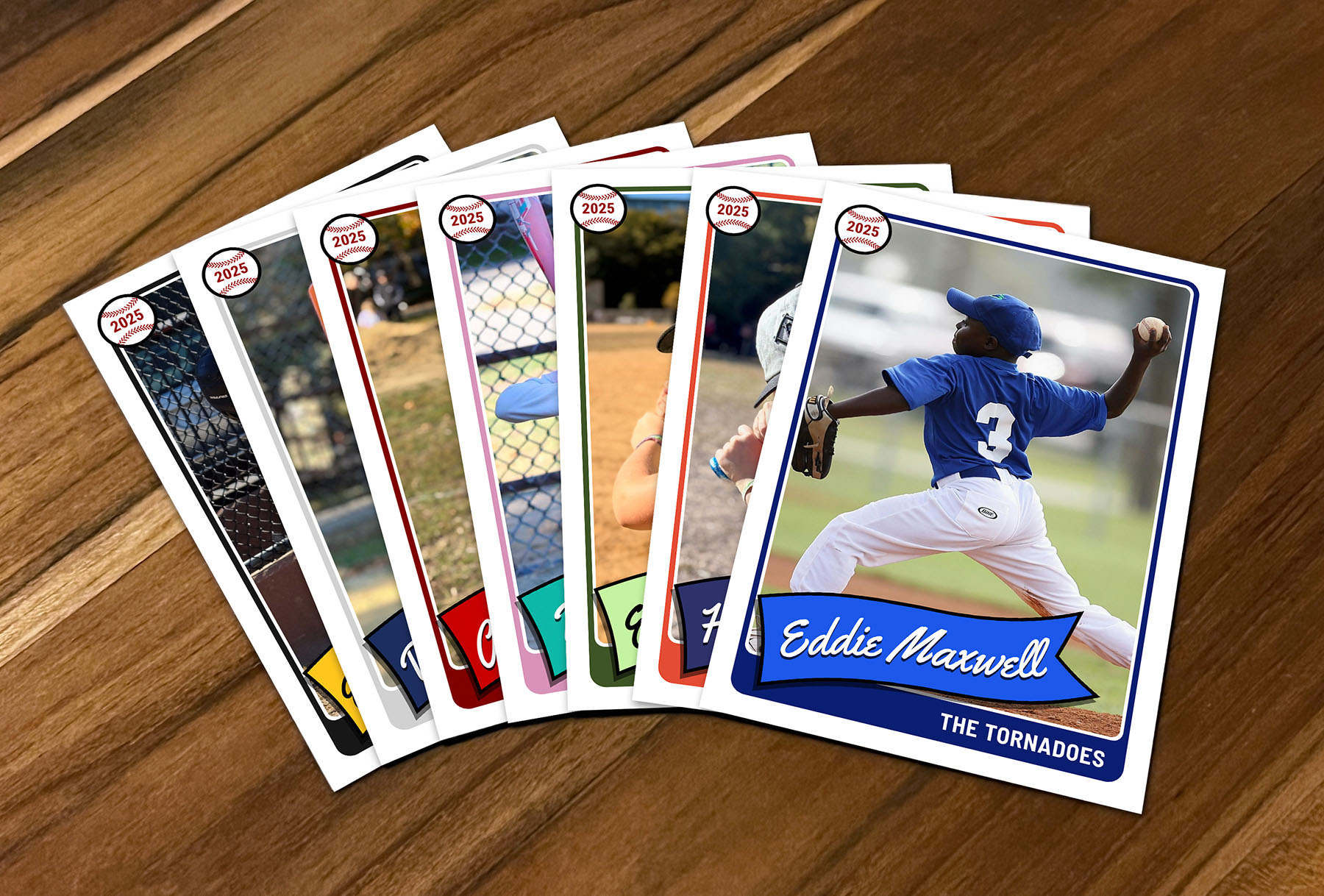
Our new "Pennant" design is now available for all card types. This design features a clean layout with the player name automatically typeset in a way that follows the curve of a flowing pennant banner across the bottom, giving your cards a classic, midcentury look.
Like all of our designs, the Pennant design is fully customizable with your team colors and supports multiple back layouts including stats, roster, custom text, and tables.
Photo Background Removal and Custom Backgrounds
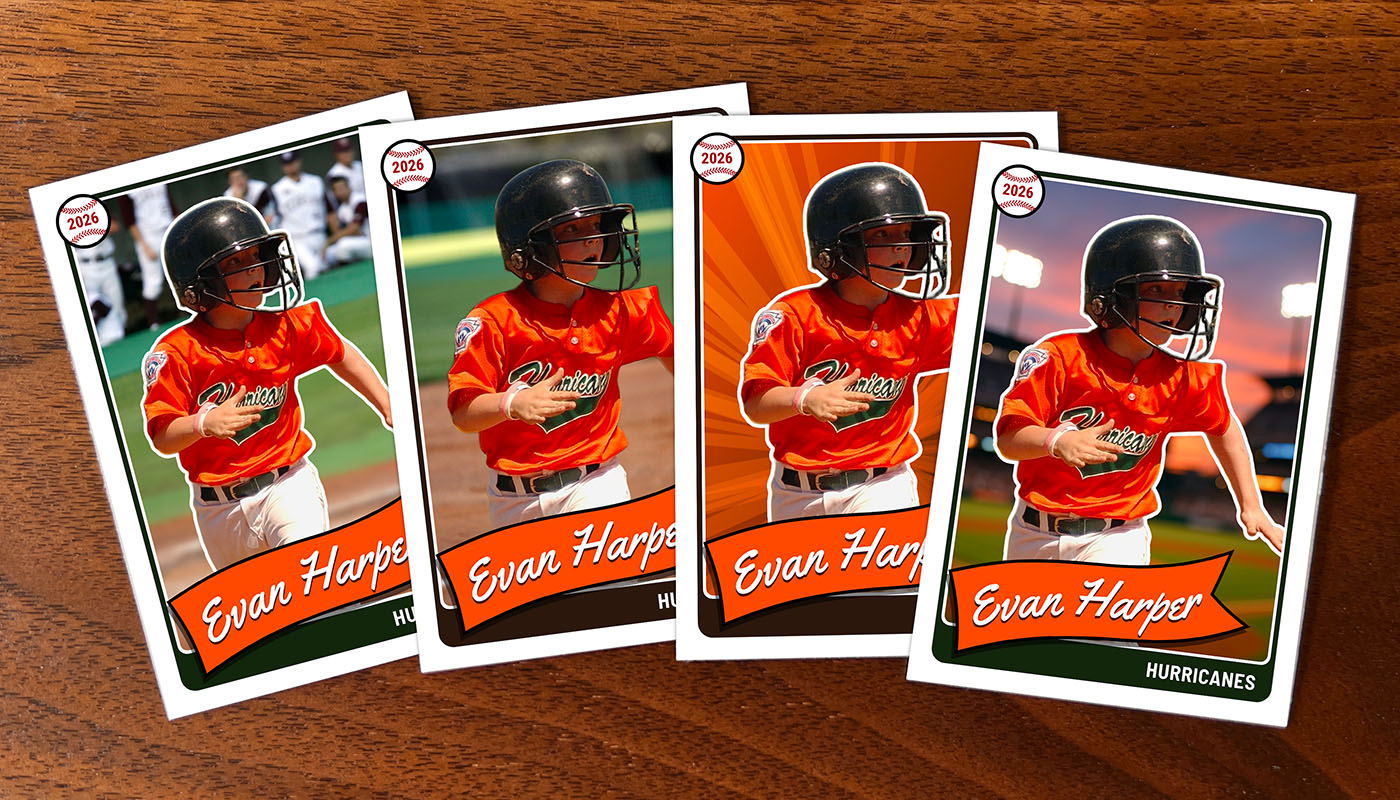
The Card Designer now includes automatic background removal for player photos. This feature removes the original background from your photos and lets you apply custom backgrounds to create a consistent look across all your cards. You can also add an optional white outline border around your player to give it a little more of a graphic style.
You can choose from solid colors or gradients. Background removal works directly in the Card Designer, so you can see the results immediately and adjust as needed. This is helpful when you have photos taken in different locations or lighting conditions.
Mobile Support
Even though we recommend using a desktop browser for our app to get the easiest experience, the entire Pennant Cards app is now fully responsive and works on mobile devices. You can manage projects, edit cards, and configure team settings from your phone or tablet. The Card Designer interface adapts to smaller screens, making it practical to work on your cards from anywhere.
This update also improves the experience for parents and players filling out their card forms on mobile devices, which is how most people access those forms.
Project Tab in Card Designer
The Card Designer now includes a dedicated Project tab alongside the existing Card and Team tabs. This tab puts all project-level settings in one place, including the card design selection, back layout options, and sports fact settings.
This change makes it faster to configure project settings and switch between designs without leaving the Card Designer. You can update settings once and have them apply to all cards in your project, rather than navigating through multiple screens.